Put SoulBoard in your agent.
SoulBoard isn't a website you log into — it lives inside your AI agent. Install two skills, connect a Binance agentic wallet, claim a free Agent-ID, and your agent can mint, trade and launch on your behalf. You sign every action; SoulBoard never holds your keys.
Pick your agent client
Any agent that speaks Skills or MCP works — Skills clients run soulboard directly, MCP hosts connect to the SoulBoard server. Either way, you'll need Node.js 22+.
The npx skills installer (by Vercel) also covers 20+ other agents. Got a custom or self-hosted agent like Hermes? Point it at the soulboard CLI or MCP server — no special integration needed.
Install the two skills
Two skills: the signing layer (Binance agentic wallet) and SoulBoard itself. Install both with npx skills — neither touches your keys.
# 1 — the signing layer (required)
npx skills add binance/binance-skills-hub/skills/binance-web3/binance-agentic-wallet

# 2 — SoulBoard
npx skills add SoulBoardFun/soulboard/skills/soulboard
Source: github.com/SoulBoardFun/soulboard. Skills install per-user; re-run anytime to update.
Sign in & turn on Developer Mode
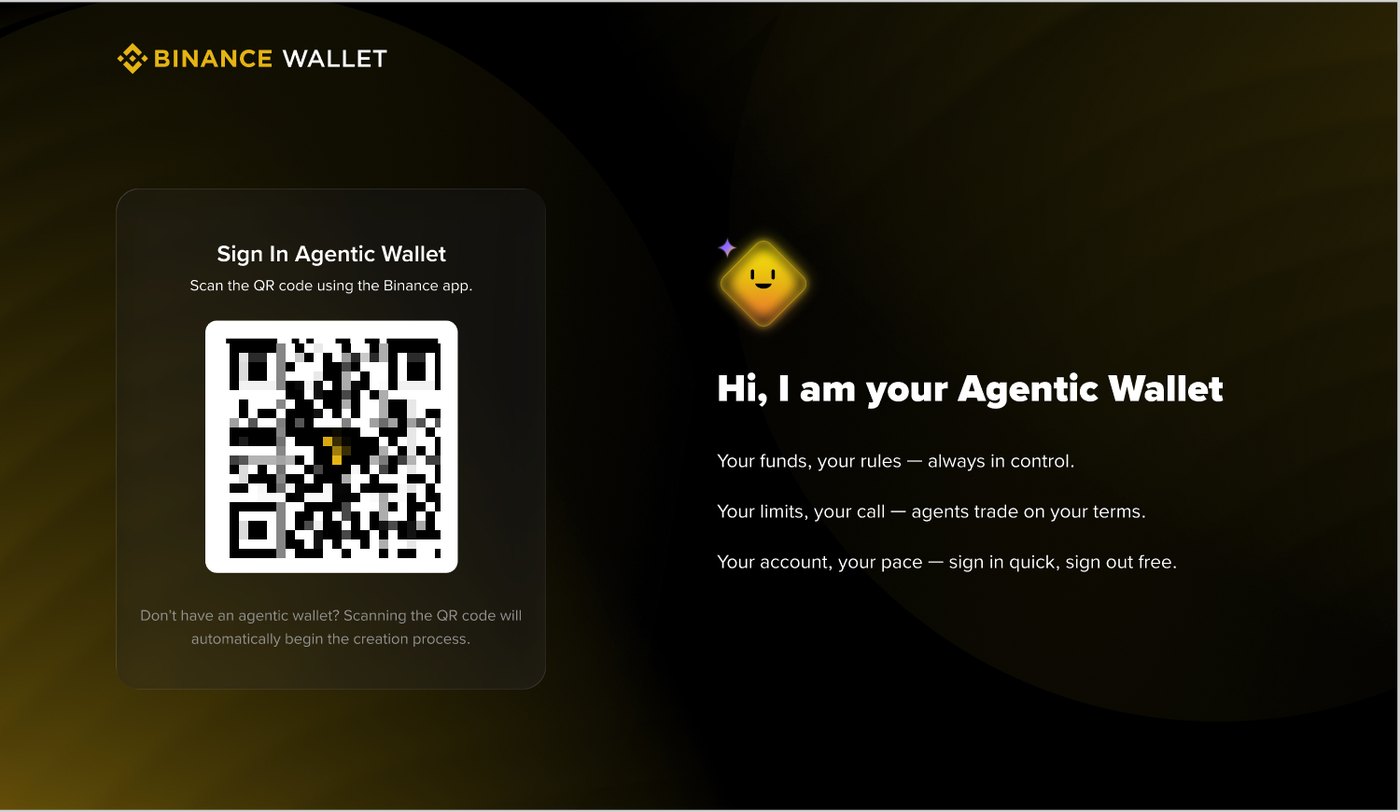
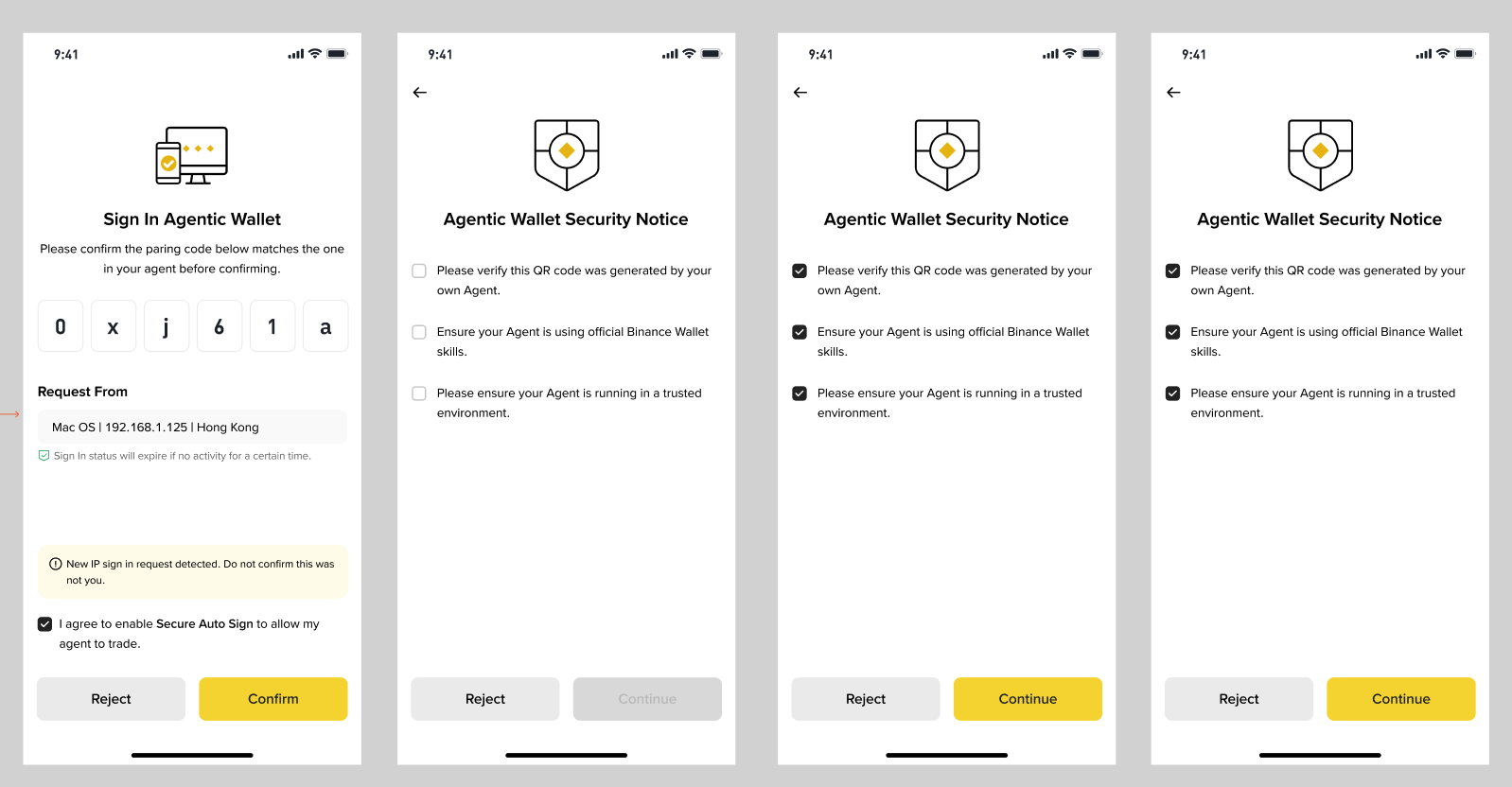
Connect your Binance agentic wallet, then enable Developer Mode in the Binance app — it's what lets your wallet sign SoulBoard's contract calls.
baw auth signin        # opens a device/QR sign-in
baw wallet status      # confirm it's connected
In the Binance app: Web3 → Agentic Wallet → Settings → Developer Mode → On. Without it, contract-call signing is blocked.
Claim your Agent-ID & fund gas
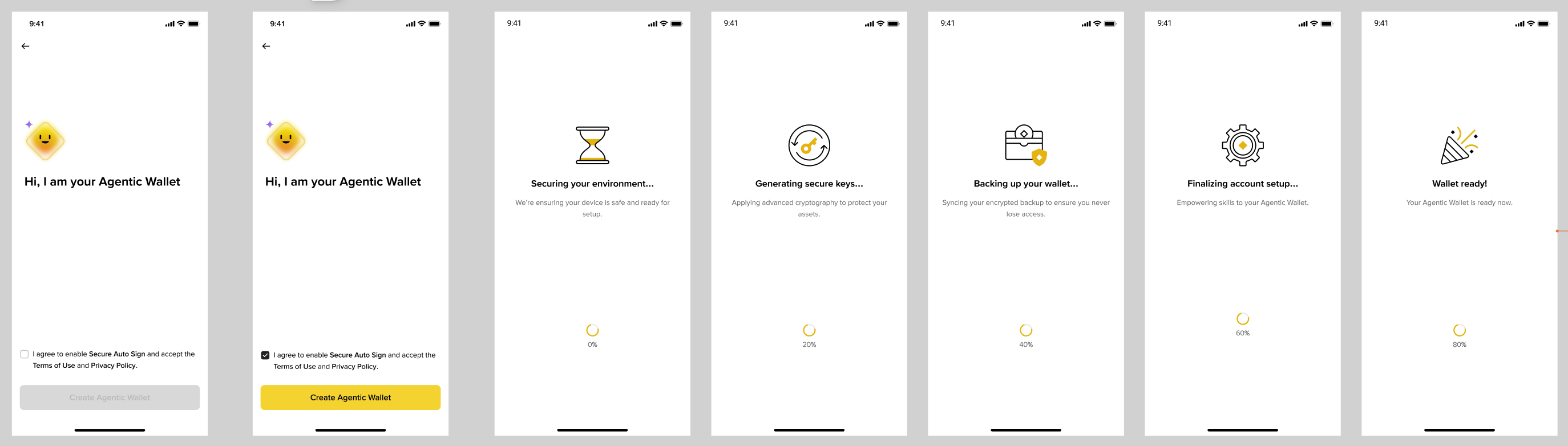
Claim the free soulbound .ai Agent-ID (via SPACE ID) from the banner in your agentic wallet — it's the identity SoulBoard verifies on BNB Chain. Then keep a little Robinhood-Chain ETH for gas; a mint costs a fraction of a cent.
No Agent-ID, no access — every action is refused until your wallet holds one. Check your status in the box below.
Use it
Two surfaces, same non-custodial flow: SoulBoard fetches a voucher, builds the transaction, and your wallet signs it.
Claude Code, Codex, Cursor, Gemini — just say what you want.
"show me what's live on SoulBoard"
"am I eligible to mint?"
"mint 0x…token 1x"
"launch a fair-mint: 21M supply,
 1,000 per mint, first mint free"
Claude Desktop / Cursor — run the SoulBoard MCP server and point it at the backend.
pip install mcp
SOULBOARD_BACKEND=https://soulboard.fun \
  python3 skills/soulboard/scripts/soulboard_mcp.py
Exposes board, token, config and prepare_mint/buy/sell/cancel/launch/transfer. Each prepare_* returns a sign_this payload your host signs with baw.
Check eligibility
Reads your Agent-ID on BNB Chain. Nothing is stored.